User journeys
mapped for you
Auto-map every product journey across different cohorts, languages, and devices. Understand your user experience like never before.

Loved by product-obsessed teams


JOURNEY MAPS
See your product like never before
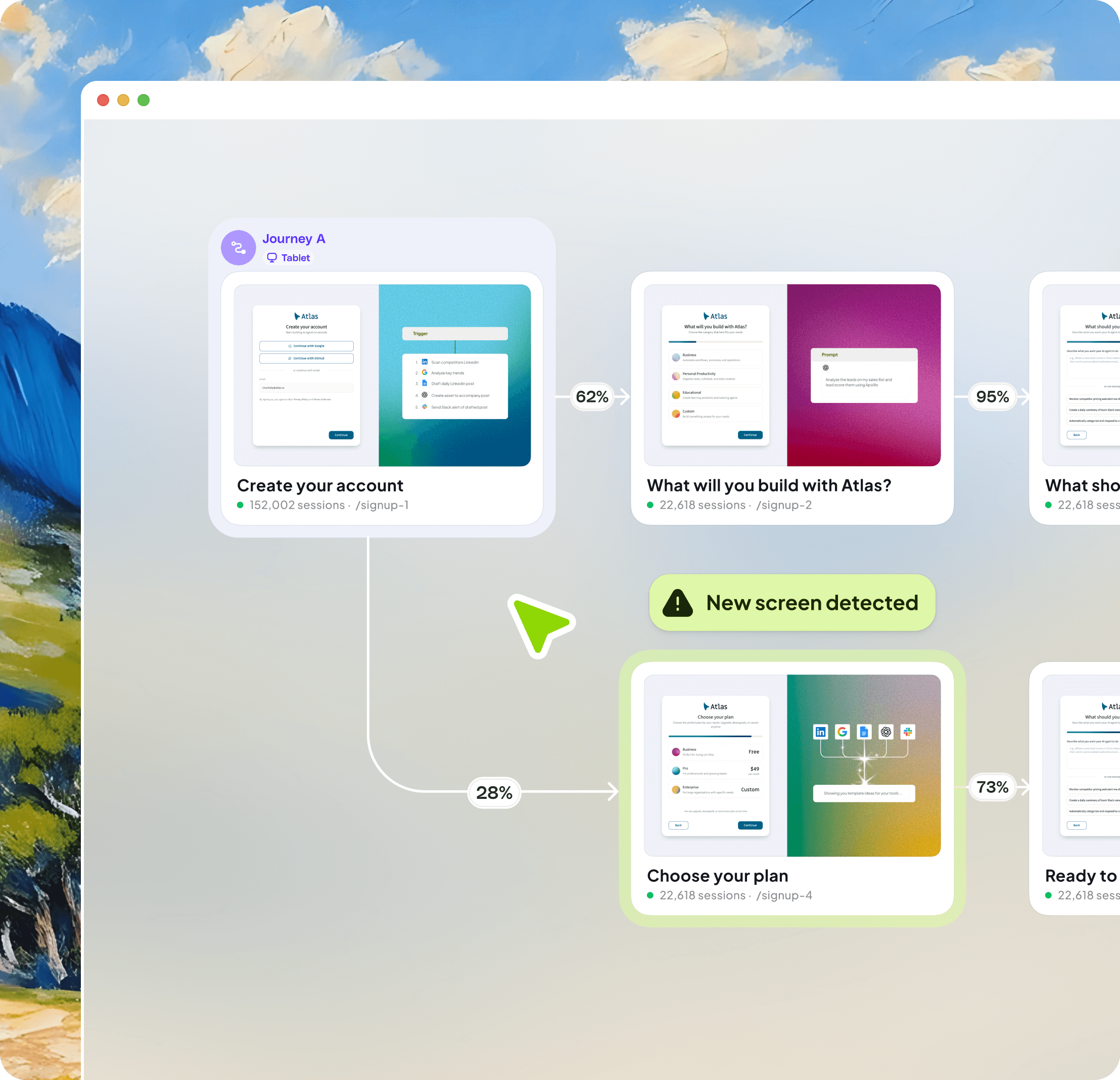
Always up to date
Your product changes every day. Your journey map should too. Adora updates automatically and overlays session replays, AI insights and analytics on every journey. So you identify issues and opportunities, fast.
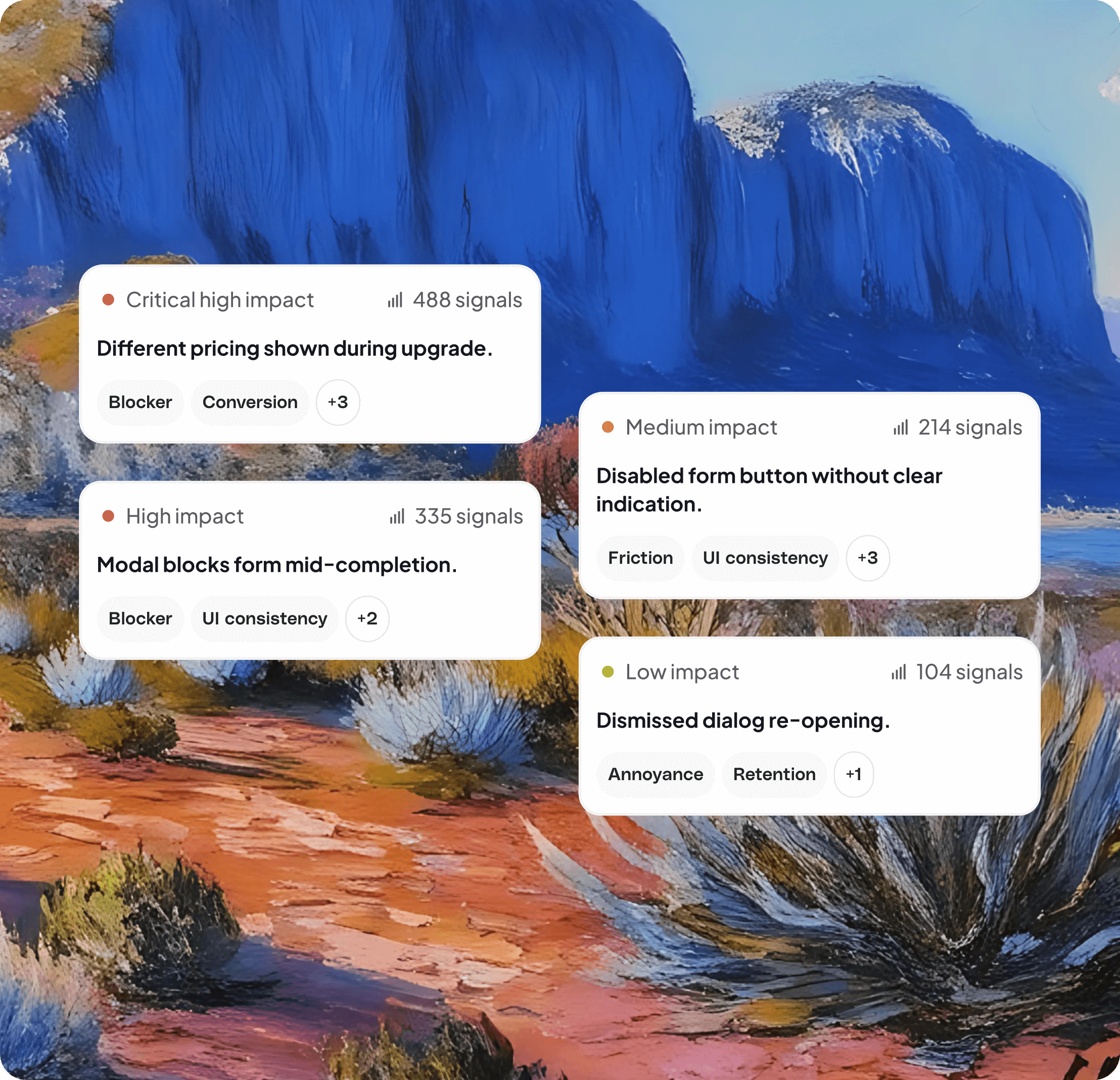
AI spots problems
With 24/7 monitoring of your product, see exactly where users get stuck, frustrated, or drop off. Watch sessions with the issues and focus on what matters most.
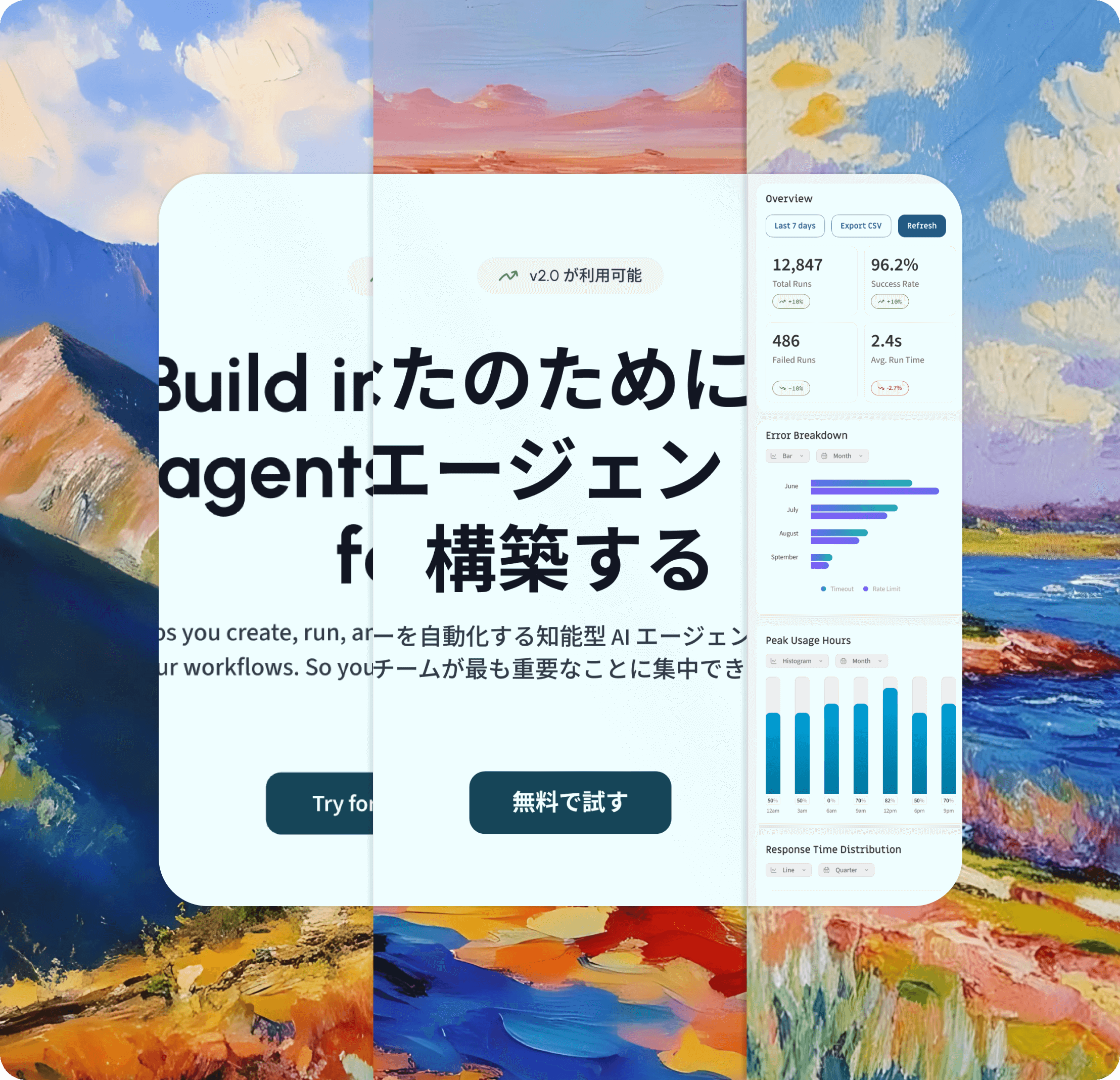
Every variation in one view
Compare your journeys across every language, device or cohort in one place, so you can get the full picture of your real life experience. Spot localization issues, conversion drop and device rendering issues instantly.

Each year, millions of people sign up to learn and play chess across multiple languages and user journeys. Adora has given us real-time visibility into these flows.

JOURNEY TYPES
Plot every path
Every user journey is different. Explore your product on a collaborative whiteboard with powerful journey mapping, analysis and analytic tools.
TEAMS
How teams use Adora's journey mapping
Turn every user interaction into a story, transforming complex journeys into clear insights that guide your team. From first clicks to lifelong fans.

Onboarding journeys
See how users take their first steps in real time. Spot patterns and guide them to their aha moment faster.

Map subscription paths
Visualise every upgrade path to see what's converting and where you're leaving revenue on the table

Experimentation
Compare user behaviour across variants. Track engagement and spot opportunities to imrpove the experience.

Design audits
Validate design choices across languages, devices, and regions. Make sure your UX works for everyone.

Support & success enablement
Share live journeys in Notion and Confluence. Filter by cohort or device and watch session replays to solve issues instantly.

Adora is a product team’s cheat-code to building cohesive end-to-end journeys

ADORA PLATFORM
Stay in the flow
Unlock your product experience with journey maps, AI insights and a product design library, in one place.





Frequently Asked Questions
Automated user journey mapping is the process of automatically capturing and visualising the real paths users take through your product — without anyone manually building flows in Figma, Miro, or spreadsheets. Adora records every screen, action, and navigation event from real user sessions, then assembles them into live journey maps that update continuously as your product changes and users behave in new ways.
Manual journey maps in Figma or Miro represent how your team thinks users behave — they go stale the moment your product ships a change. Adora's journey maps are built from real user sessions and update automatically, so they always reflect what users actually do. You can also filter journeys by cohort, device, language, and date range — something no static diagram can do.
Setup requires adding a single JavaScript snippet to your product. Once installed, Adora immediately begins capturing screens, actions, and sessions. Your first journey maps appear as soon as real user data starts flowing in — typically within hours of installation. There is no manual event tagging or configuration required to start seeing journeys.
No. Adora automatically captures every screen and user interaction without any manual event tagging. Other analytics tools require you to instrument individual buttons and screens before you can analyse them — Adora captures everything by default, including screens and interactions you didn't think to track. This means you never have blind spots in your product coverage.
Yes. Adora captures product variations across devices, languages, and user properties automatically. You can view the same journey filtered to mobile vs. desktop users, English vs. French-language experiences, or any custom user segment — and compare them side-by-side. This makes it easy to identify localisation issues, device-specific friction, and cohort-level behavioural differences.
Funnel analytics requires you to predefine the exact steps you want to measure — you only see what you thought to instrument. AI journey mapping in Adora shows you all the paths users actually take, including unexpected detours, alternative routes, and flows you never designed. Adora's AI Journeys let you describe a flow in plain language and instantly generate a map from real data, without any pre-setup.
Adora supports four journey types: Common Paths (auto-generated from a starting screen, shows the most frequent user flows), Custom Journeys (predefined linear flows for specific funnels like onboarding or checkout), Bookends Journeys (you set the start and end point, Adora maps all paths between them), and Click Through Journeys (manually build a journey by clicking through your live product). AI Journeys let you prompt Adora in natural language to generate any of these instantly.
Yes. Journey maps in Adora are shareable across your team. You can export, embed, and share individual screens or full journey maps. Multiple journeys can coexist on the same journey map canvas, making it easy to present end-to-end product flows to stakeholders — product, design, engineering, and support teams all get the same live view of how users move through the product.
HOW IT WORKS
How automated journey mapping works
1. Install once — Add Adora's JavaScript snippet to your product. Adora immediately begins capturing every user interaction across your app — no manual event tracking, no code instrumentation needed.
2. Journeys are built automatically — Adora clusters user interactions into meaningful journey patterns using AI. It surfaces your most common paths, your highest-drop-off flows, and the routes that lead to conversion — without you configuring anything.
3. Explore, compare, and act — Filter journeys by cohort, device, language, or date range. Click into any step to watch session replays of users at that exact point. Share journey maps with your team to align on where to improve the product.
Automated user journey mapping is the process of automatically capturing and visualising the real paths users take through your product — without manually building flows in Figma, Miro, or spreadsheets. Adora records every screen, action, and navigation event from real user sessions and assembles them into live journey maps that update continuously as your product changes. Teams use automated journey mapping to identify drop-off points, compare behaviour across cohorts, and align on where to improve the product experience.